
 Natural Cursor Positioning, Like a Trackpad
This app is great except cursor positioning is painfully unrealistic for great productivity. It's because we are dealing with code where the cursor needs to be moved constantly and at precise locations.
The Codea app has MASTERED THIS. They simply provide two new keyboard keys in the center of the top row. You tap and hold the key, then move your finger and the cursor moves in parallel. It feels so natural as if I am using the trackpad on my MacBook Pro. One button is for regular movement and the other selects text. Productivity will improve 4 fold with this. I would use Codea instead but it's not a general purpose editor.
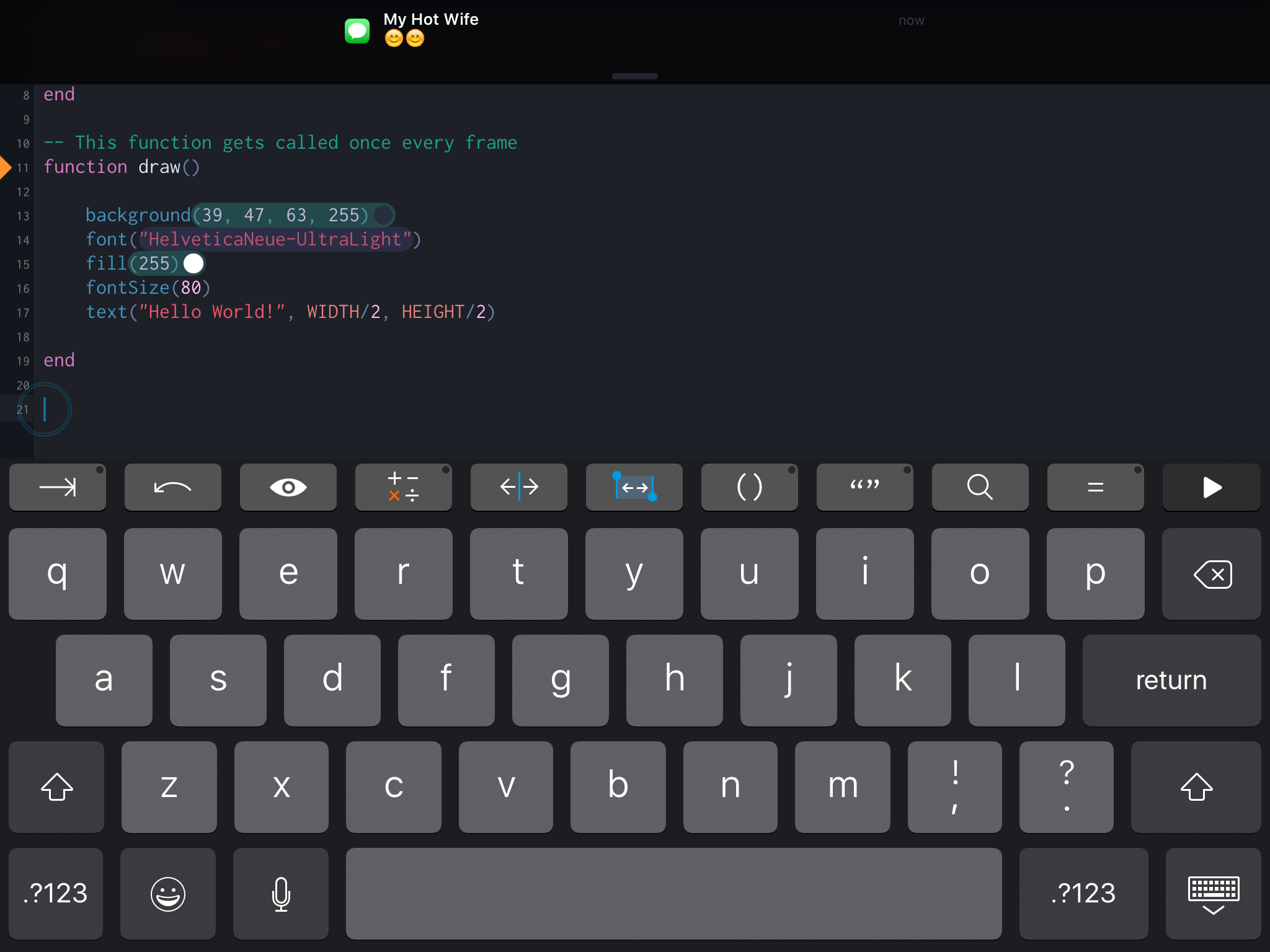
Screenshot of the Codea app.

 How to define new code completions?
I know there are examples for custom completion files, but somehow I just don't get it. I would really like code completion for LaTeX on my iPad, so I copied one of the example files, generated a new uuid on my MacBook using uuidgen and changed some stuff around, then uploaded the file to my iPad and restarted Textastic, but the code completion window won't show up. I feel like my main problem is the pattern in the context part of the file. Which kind of regex does Textastic use? Textmate uses Oniguruma Regular Expressions, does Textastic, too? Also, what happens if the regex matches/does not match?
I thought it should be fairly easy to create those files, but unfortunately the git repository has not been updated for almost a year and the file format is not documented :( Help is greatly apreciated!

A detailed example of creating bundle ...
However, as I work on Windows (I know it's a shame ;-)), after several unsuccessful attempts, I searched (unsuccessfully to) a detailed example of creating a bundle withoutTextmate itself.
Do you know a detailed example or can you provide us one?
Thank you in advance.
Greg

 Don't show the connection error while editing
Code coloration for es2015 javascript
It would be great to have syntax coloration for modern javascript (es2015

Cannot distinguish long file/directory names

"define" option

Custom Syntax highlinght

Code Review Comments/Annotations
I tend to use my iPad more to consume content than to produce it. So, my main use case for buying Textastic was as a slick tool for reviewing code -- either as part of a formal code review or to gain an understanding of some third party component. In both of these cases, it would be nice to be able to annotate the code with my comments as I review.
For example:
I click on a line number and a dialog pops up to input a comment. Once I made a comment, there would be some sort of visual indicator telling me that there was a comment at that spot. Finally, when I was done my review session, I'd be able to collect my comments in some form. This could be as simple as creating a text file FileUnderReview.rb.comments with entries like:
Line 34: Some insightful comment.
(Or it could use a standardized file format instead if there is anything out there)

Show a message when "Open In..." fails
It's not possible to check if a file type is registered before actually trying to show the list of registered applications, but it's possible to show an explanatory message when it fails.
This way, the open in menu should show up on all supported files.
Customer support service by UserEcho

