Your comments

Textastic uses libcurl for SFTP downloads.
This looks like a bug in curl - I could reproduce it using the curl command line tool.
I reported this issue at https://github.com/curl/curl/issues/19165
Thanks, I can reproduce the problem. I'll try to find out what's going on.
Regarding the sidebar, please try this:
- Close all Textastic windows
- Quit Textastic
- Run this command in the Terminal app:
defaults delete com.textasticapp.textastic-mac "NSSplitView Subview Frames SplitView"
This should reset the sidebar width to the default.
Thanks for the video. I can now reproduce the problem.
When closing the window, the app should ask if you want to save untitled files, but for some reason it doesn't. This looks like a bug. It definitely used to work on earlier macOS versions.
To work around this issue, please close the tab instead of the window using the "X" button on the tab or by pressing Cmd-W, or using File > Close Tab. Then it should ask if you want to save or delete the untitled file.
Thanks for letting me know about this issue! I'll investigate.
When you press "Show Sidebar", it looks like there is a very thin (2 pixels wide?) sidebar appearing on the left. Can you please try to move your mouse to the left side of the window and drag the sidebar to make it wider? There should actually be a minimum width for the sidebar, but it looks like for some reason this isn't honored.
I'm using Textastic for Mac daily myself and haven't encountered the issues you are describing, so I'm not sure what's going on.
Does quitting the app (Textastic -> Quit Textastic) and restarting it change the behavior?
The trial version shouldn't show different behavior than the App Store version except for the trial window that appears when starting the app.

This is the Settings app:
Open it and go to Apps > Textastic and enable “Reset Recent Files”.
Here is a screenshot:
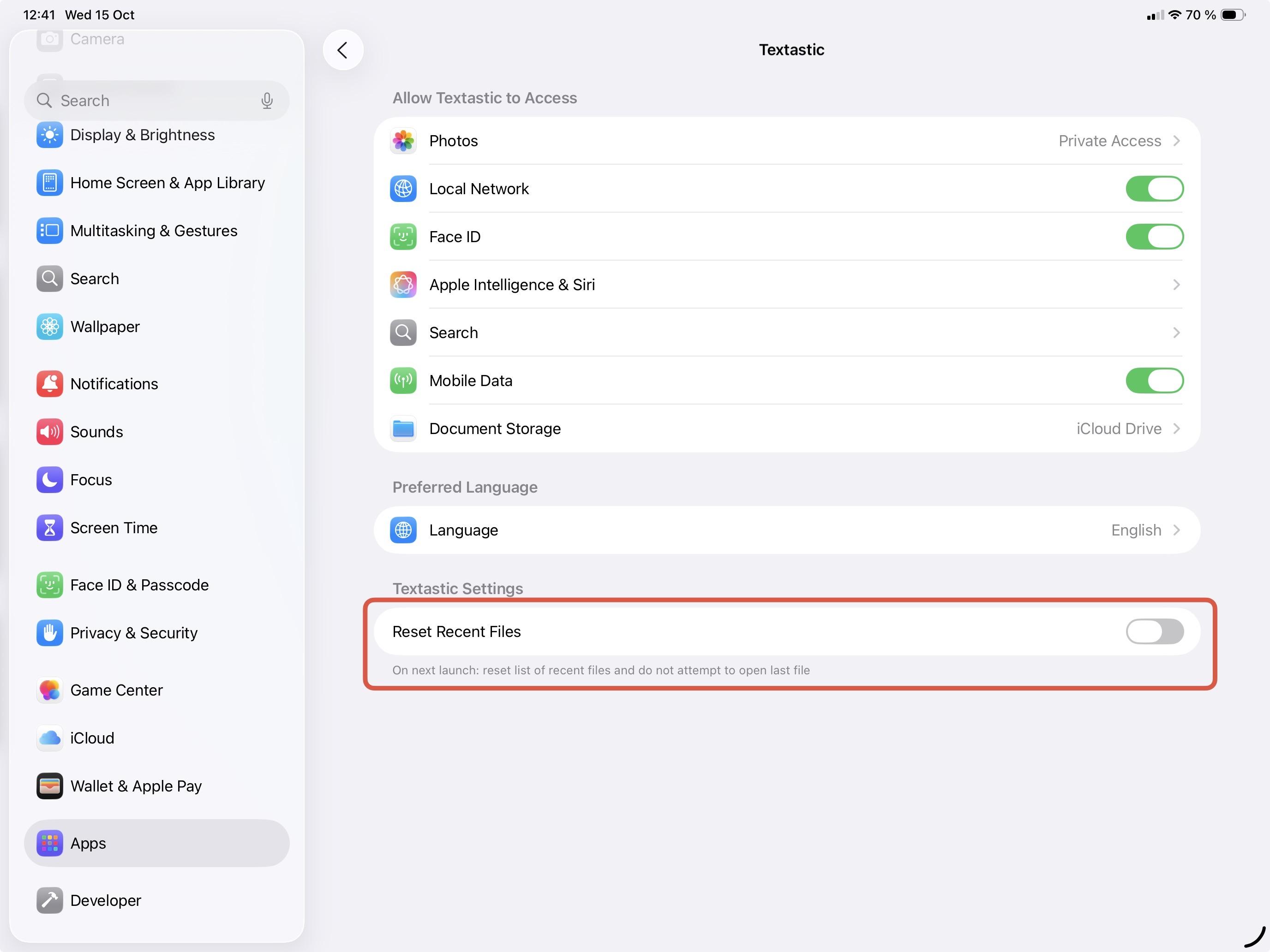
So you did go to Settings (the system settings app) -> Apps -> Textastic, enable "Reset Recent Files" and Textastic still crashes on launch?
I was talking about the Settings app, not the settings within Textastic. Can you please try that?
Customer support service by UserEcho


Another customer also reported this problem and I could finally reproduce it on iPadOS 26.1 beta 3.
The issue should be fixed in Textastic 10.8.2 which was released today.