Your comments


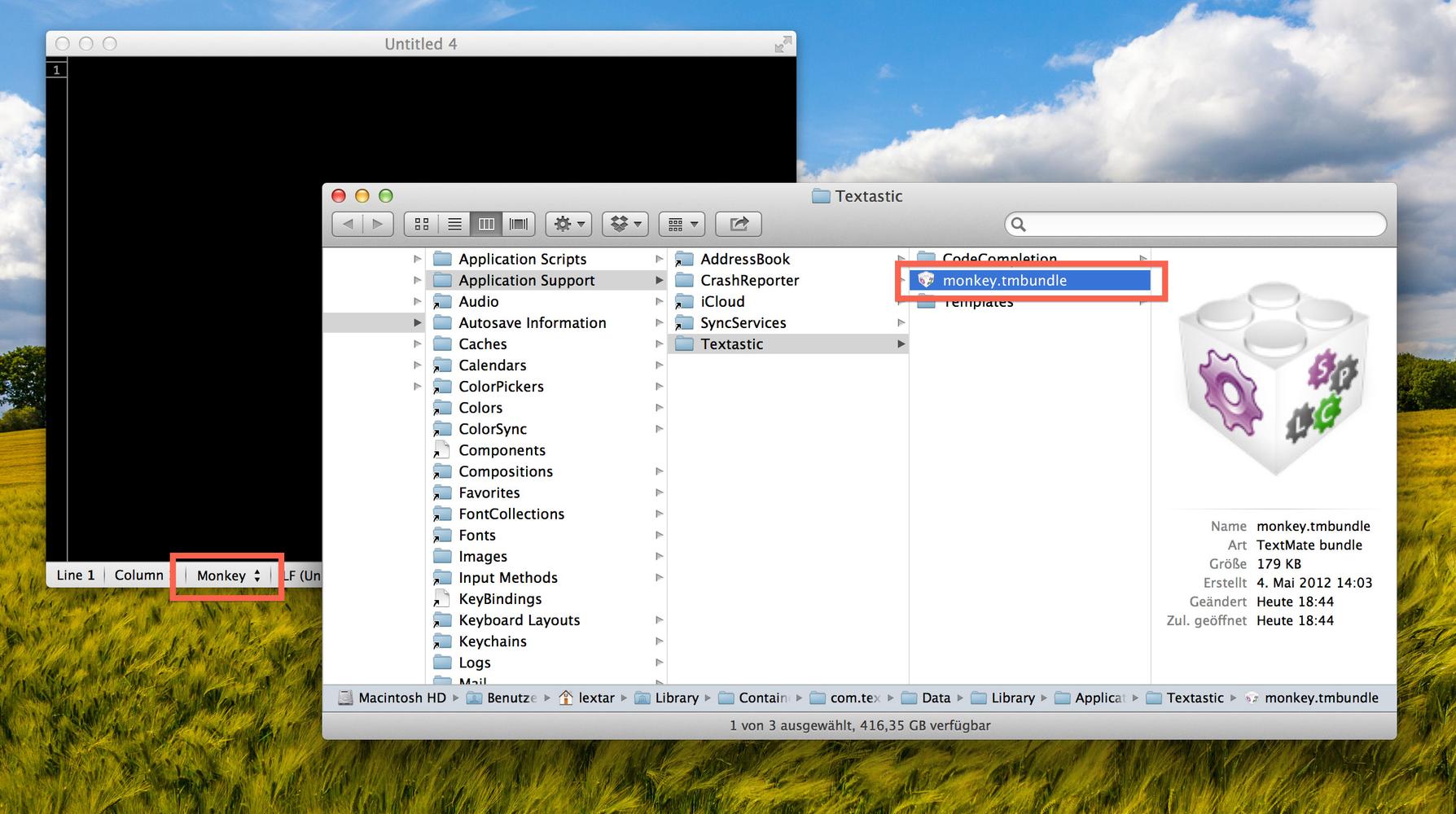
If you install the bundle, there should be a "Monkey" entry in the list of syntax definitions which should be selected automatically if you open files with the "monkey" file extension.
I've made a screenshots of how it looks on my machine:
Not from within the app.
Is there an error message in the Console app when you start Textastic?
Do you have a link to the bundle you are using?
What did you try? Textastic doesn't include a less compiler, but less.js should work.

Thanks, this will be fixed in the next update.
Tabs are mostly implemented now and will be available in the next update!
Here's a screenshot:
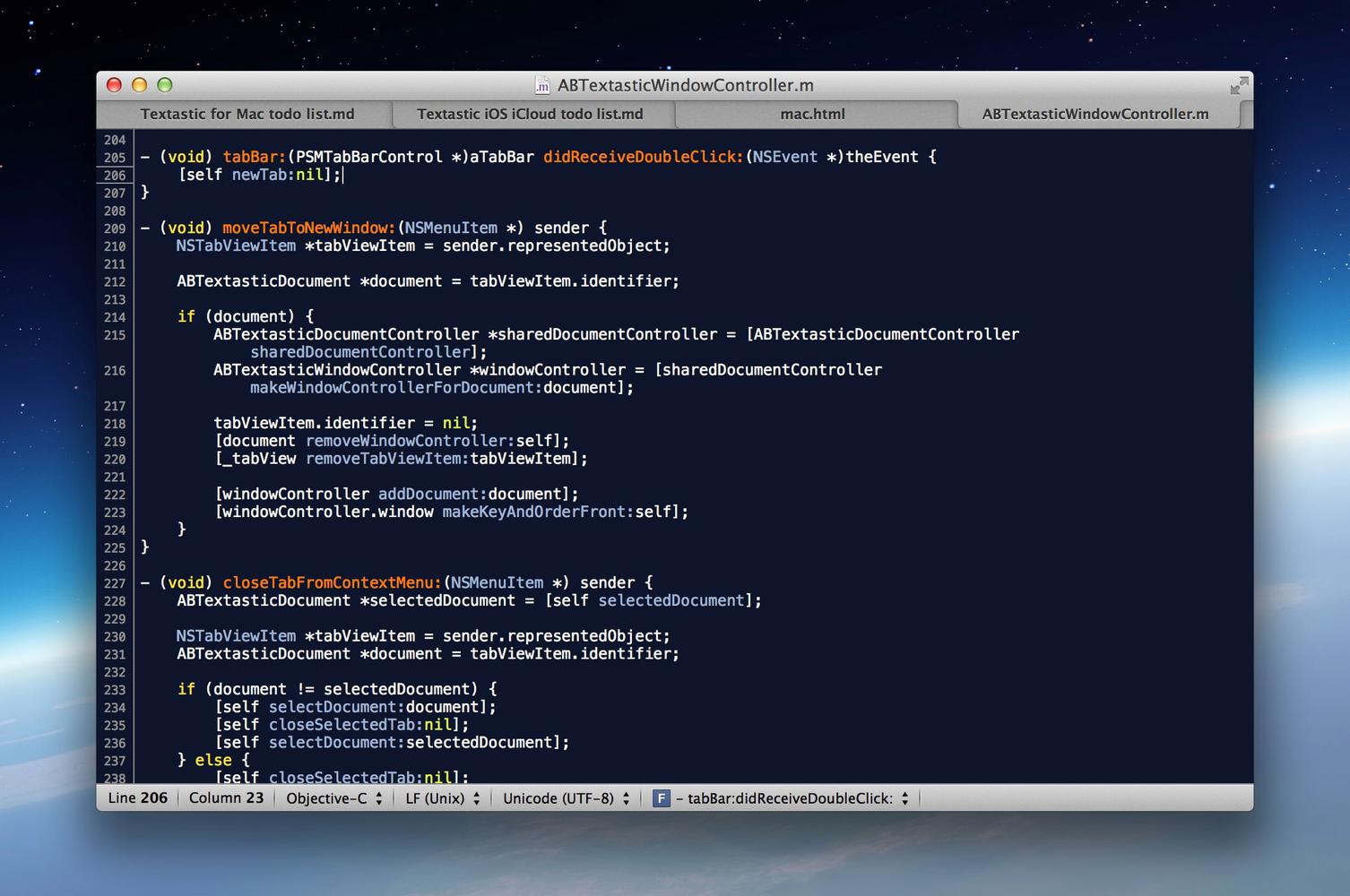
That's how I plan to implement this: as an additional feature so that you can still work with Textastic as you are used to.
Customer support service by UserEcho


Please have a look at the discussion in this topic: http://feedback.textasticapp.com/topic/80258-i-have-been-trying-to-use-textastic-with-less-lesscssorg-and-i-have-been-unable-to-get-it-to-preview-the-html-file-correctly/
There you will find an example of how to to use less.css.
Another user there reported a problem with Twitter's Bootstrap, but there is a workaround.