- Textastic for iOS
- General
-
 Ideas
Ideas

Add the ability to scroll beyond the last line
Notepad++, Visual Studio, Visual Studio Code, and the iOS Notes app all allow you to scroll beyond the end of a file. This means that you can always scroll so far down that the last line of the file is not at the very bottom of the screen.
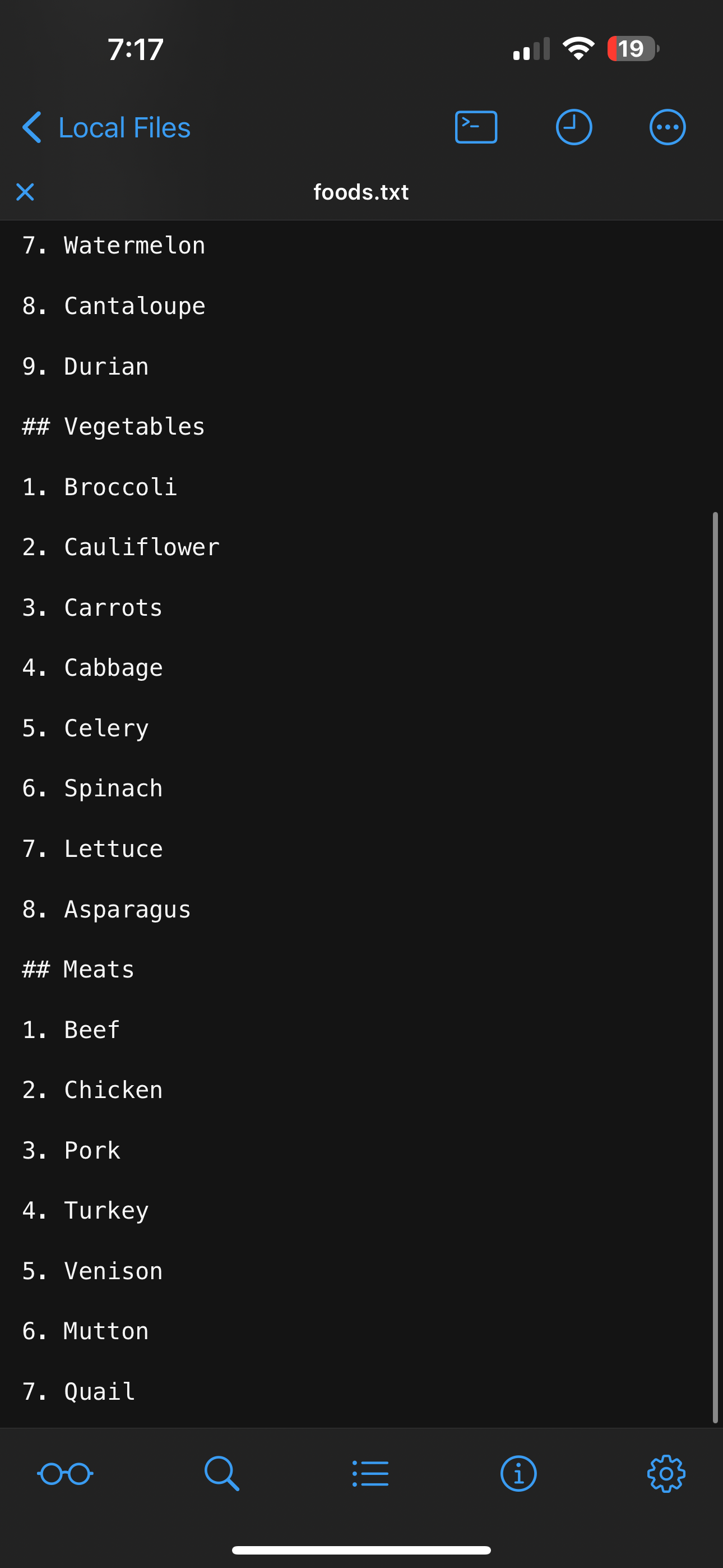
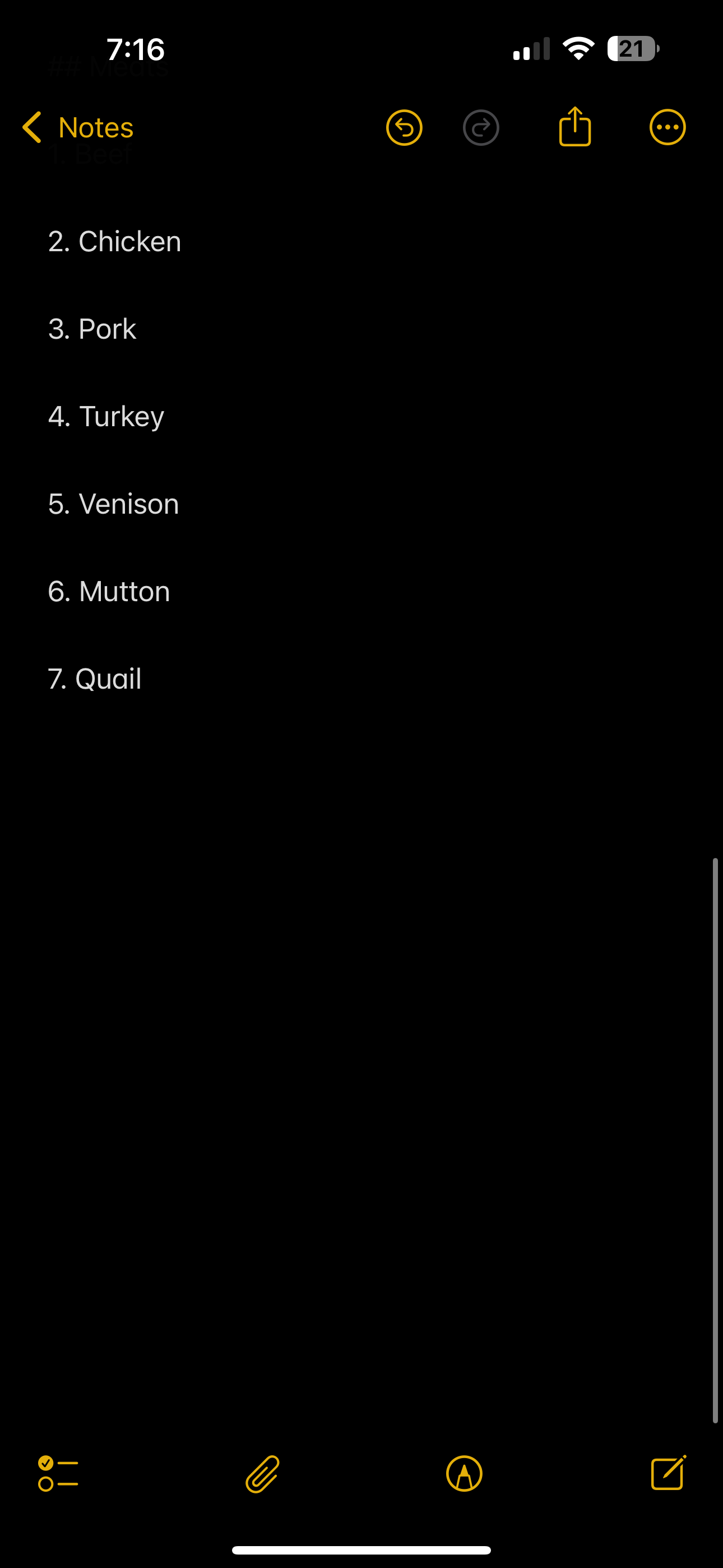
Both of the following screenshots show a file/note containing the exact same text, scrolled as far down as possible. The line "7. Quail" is the very last line; there are zero empty lines after it in either screenshot. Notice how, in Textastic, you're cramped right up against the bottom of the editor. In the Notes app, however, you can continue scrolling for about another half screen before you can't scroll anymore, which allows you to work in the center of the screen even when writing at the very end of the file.
I think it would be nice if Textastic also had this feature. It doesn't need to be the only option, or the default option. Notepad++, for example, allows you to enable or disable this feature in its settings.

Customer support service by UserEcho

